Appearance
Finance
Payable
- User sees information using the Detail button.
- User exports tables using the Export to Excel button.
- User authorizes, cancels and pays using the Authorize, Cancel, and Pay buttons.
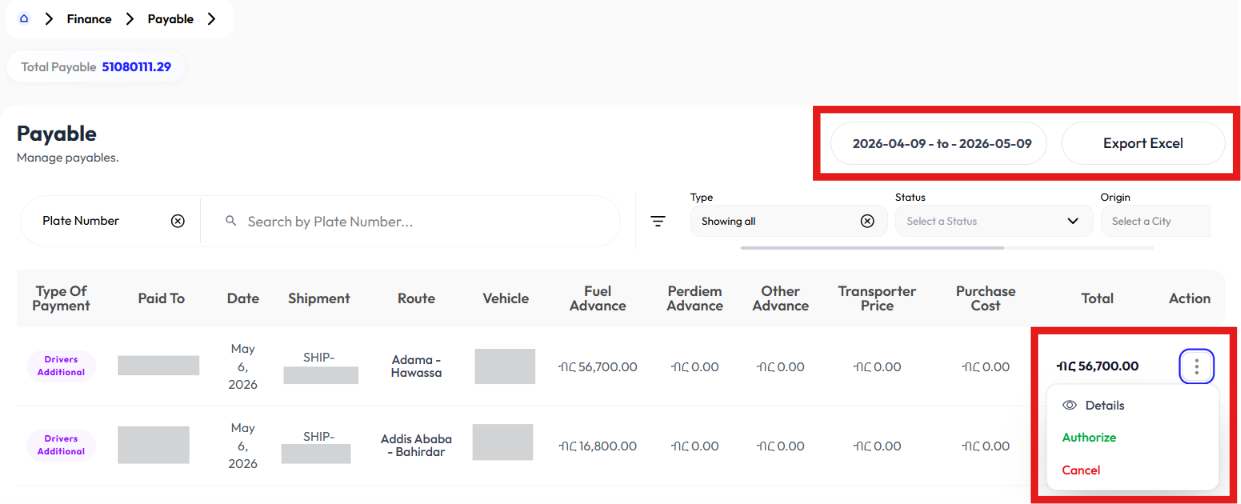
Detail Payable
- Click action button
- Click details
- There are different type of details based on the type:
- Driver advance and driver additional will take you to Driver Advance Payment Details
- Shipment will take you to Shipment Detail
- Purchase order will take you to Detail Purchase Order
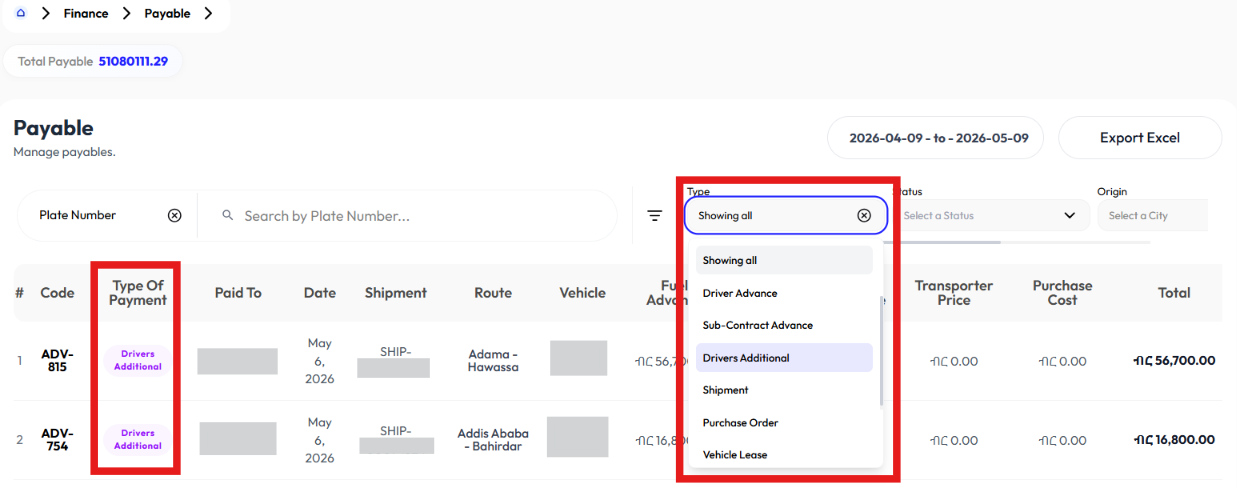
Export to Excel
- Click export to excel
- File will be downloaded
Authorize
- Click action
- Click authorize
- Click ok
Cancel
- Click action
- Click cancel
- Click ok
Pay
- Click action
- Click pay
- Click ok
Receivable
Shipment
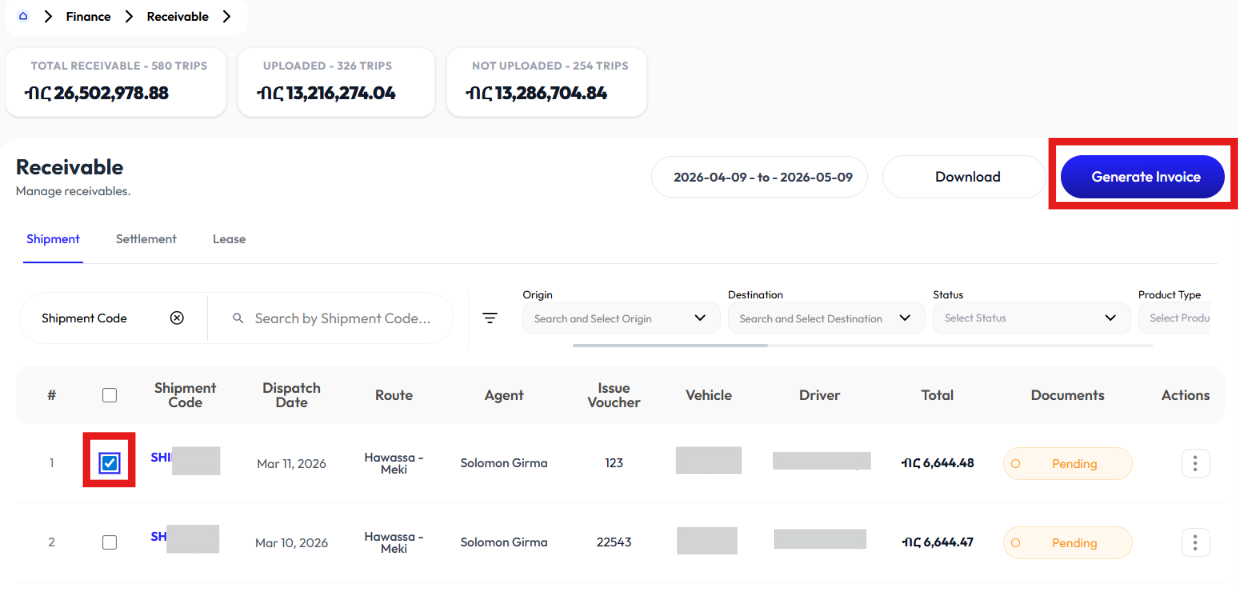
- User generates invoice using the Generate Invoice button.
- User downloads information using the Download button.
- User sees information using the Details button.
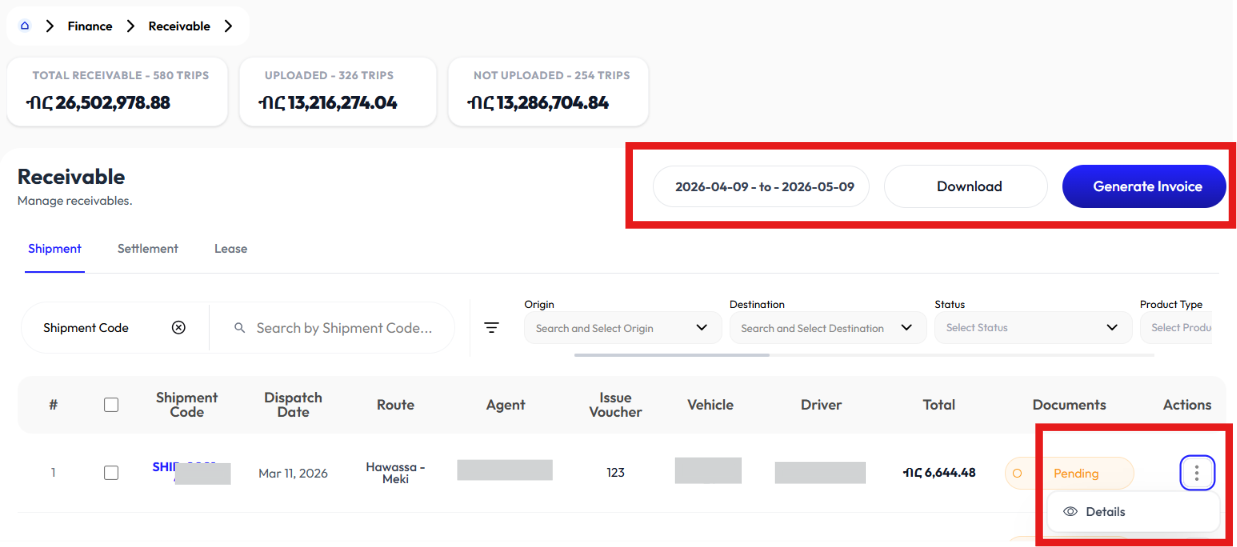
Generate Invoice
- Select Shipments from the list
- Click Generate invoice
- Click ok
Download
- Click download
- Select raw material or full product
Detail Shipment
- Click action button
- Click detail
- It will take you to Detail Shipment
Settlement
Lease
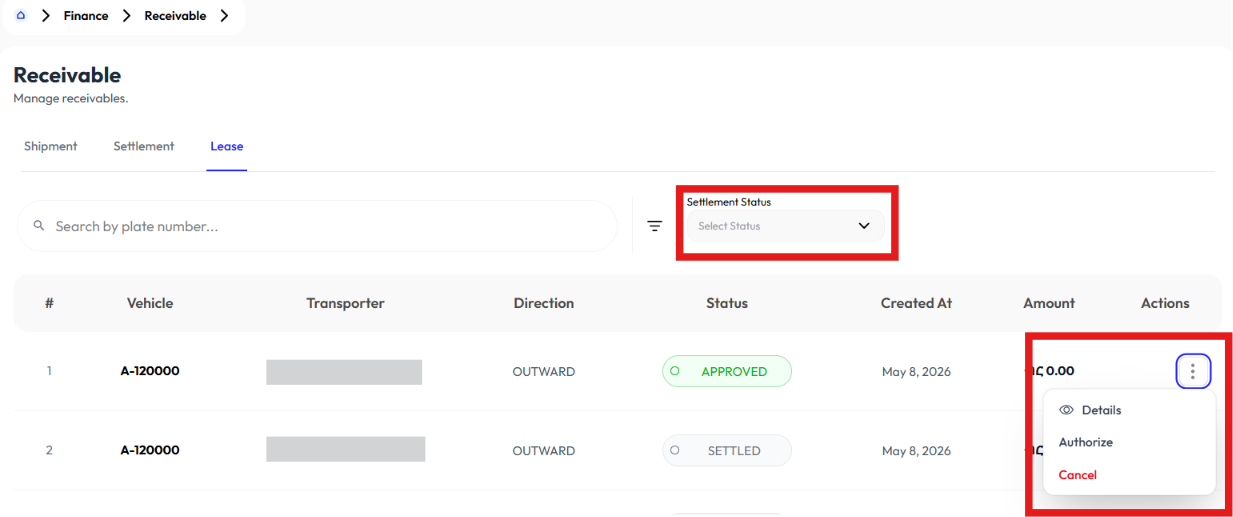
- User sees information using Details button.
- User authorizes using the Authorize button and cancels using the Cancel button.
- User collects authorized lease using the Collect button.
Detail Lease
- Click action button
- Click detail
- It will take you to Vehicle Detail
Authorize Lease
- Click action button
- Click authorize
- Click ok
Cancel Lease
- Click action button
- Click cancel
- Click ok
Collect Lease
- Click action button on authorized lease
- Click collect
- Click ok
Invoice Report
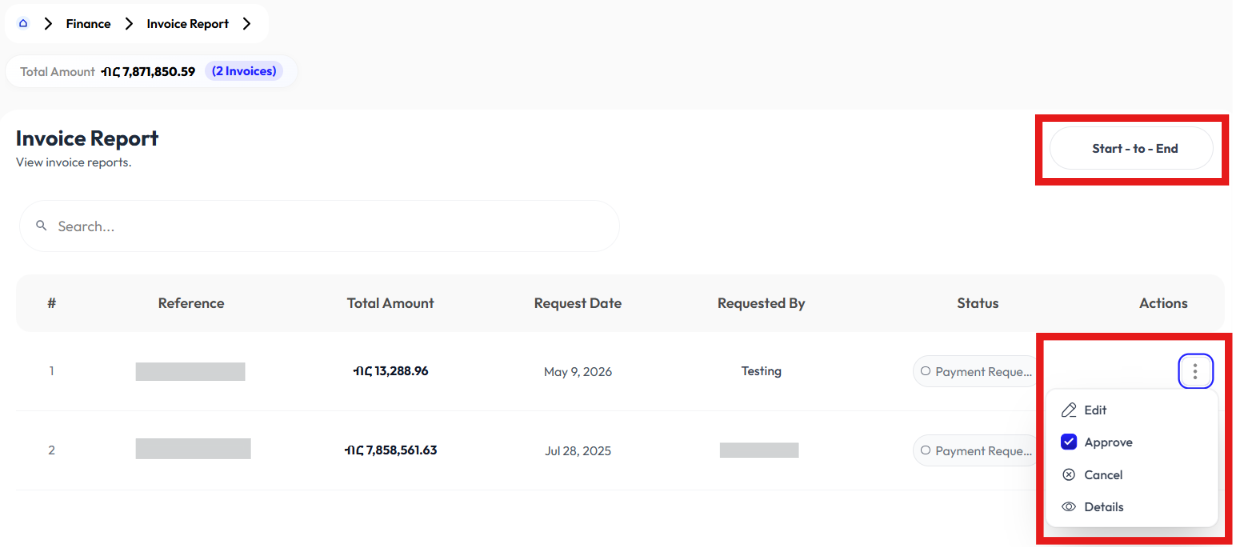
- User modifies invoice report using the Edit button.
- User approves using the Approve button.
- User cancels using the Cancel button.
- User sees information using the Details button.
Edit Invoice Report
- Click action button
- Click edit
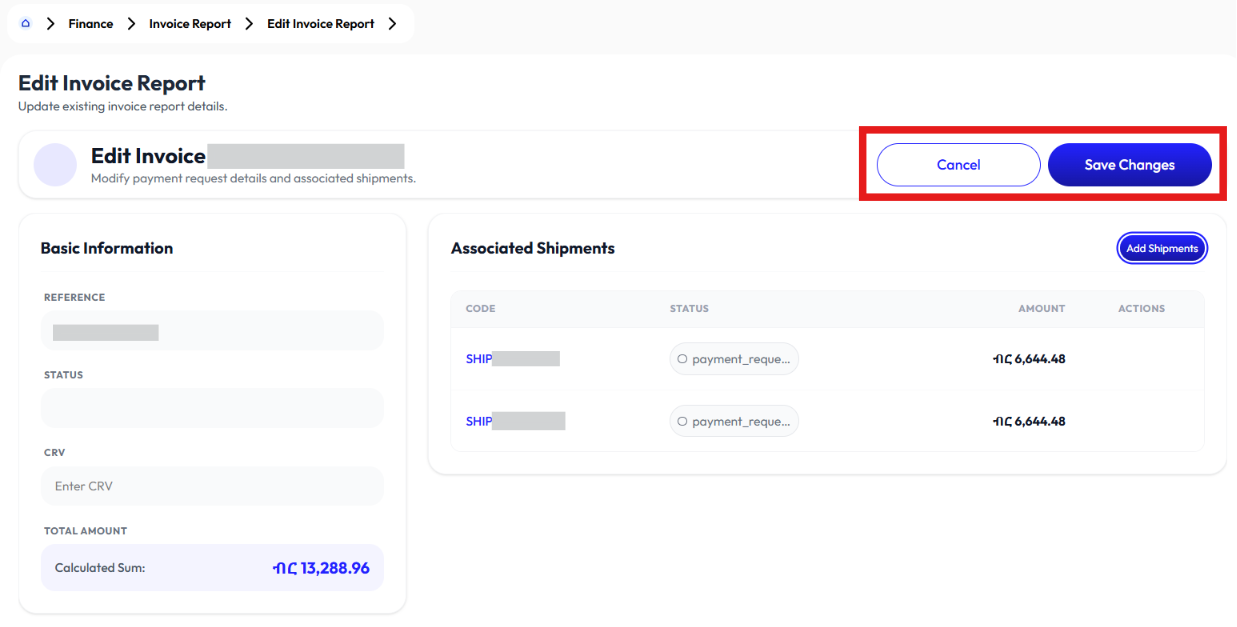
- Select status
- Update CRV
- Click add shipments to add more
- Click save changes
Approve Invoice Report
- Click action button
- Click approve
- Click ok
Cancel Invoice Report
- Click action button
- Click cancel
- Click ok
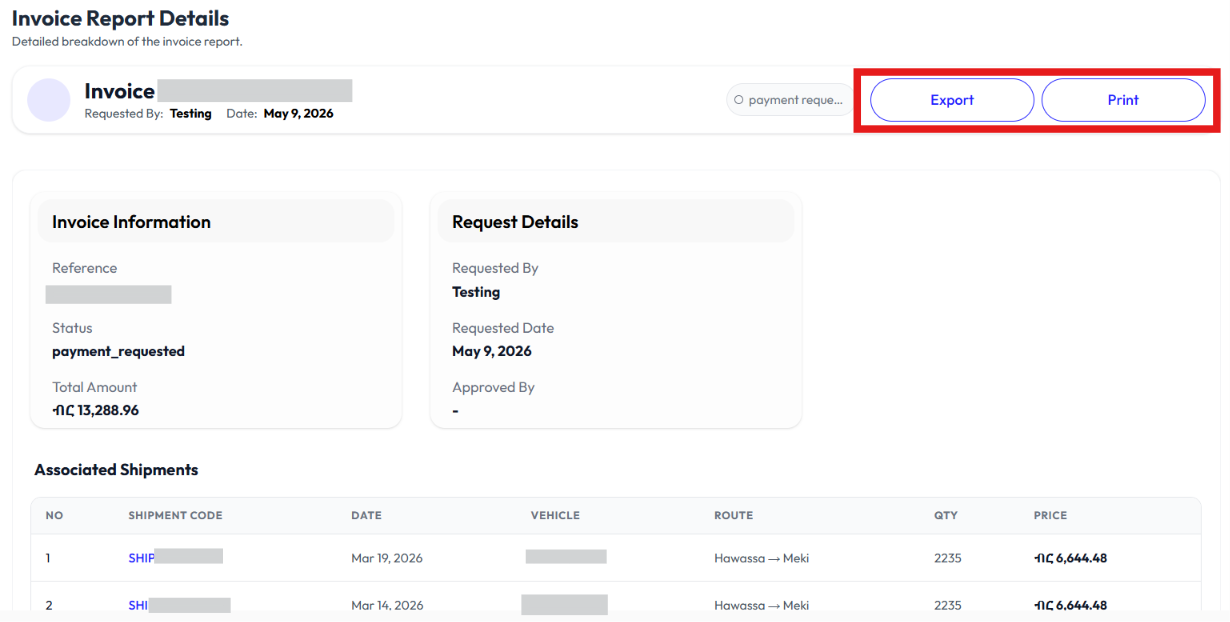
Detail Invoice Report
- Click action button
- Click detail
- Click export to download
- Click print to print
Payment Collection
- User collects payments using the Collect button.
- User modifies information using the Edit button.
- User sees information using the Detail button.
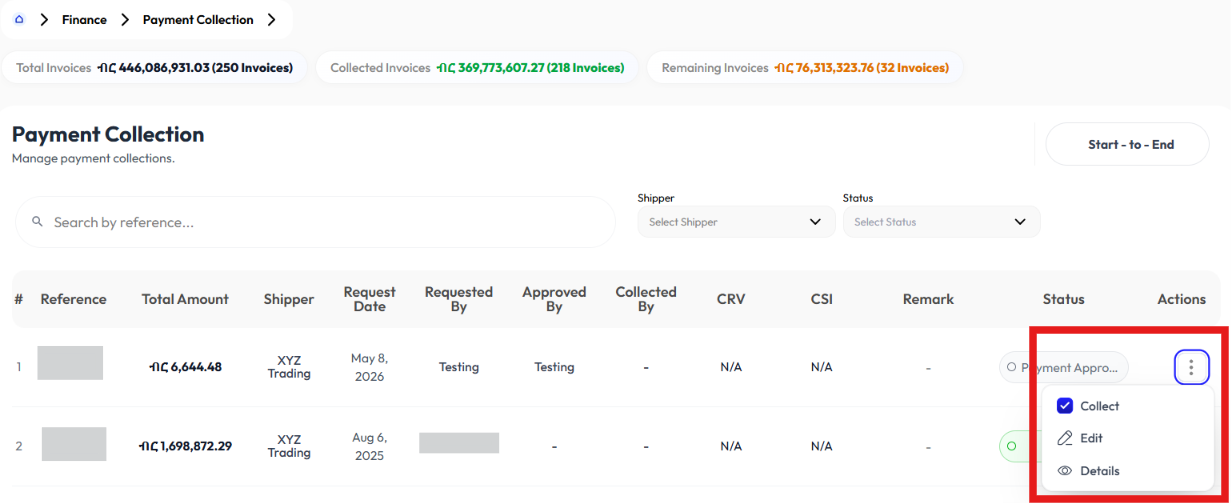
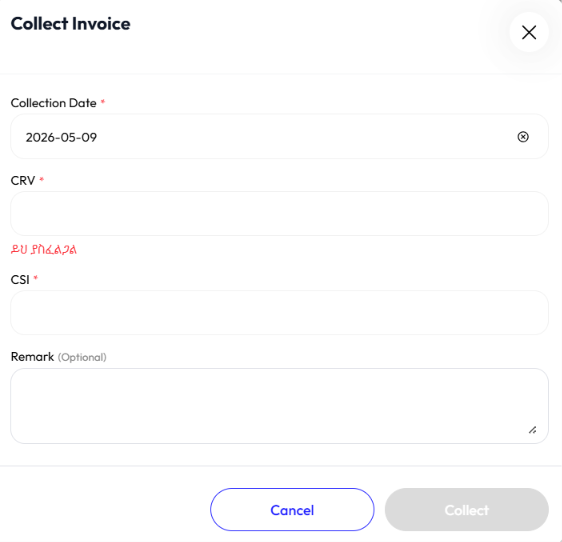
Collect Payments
- Click action
- Click collect
- Enter collection date
- Enter CRV
- Enter CSI
- Enter remark (optional)
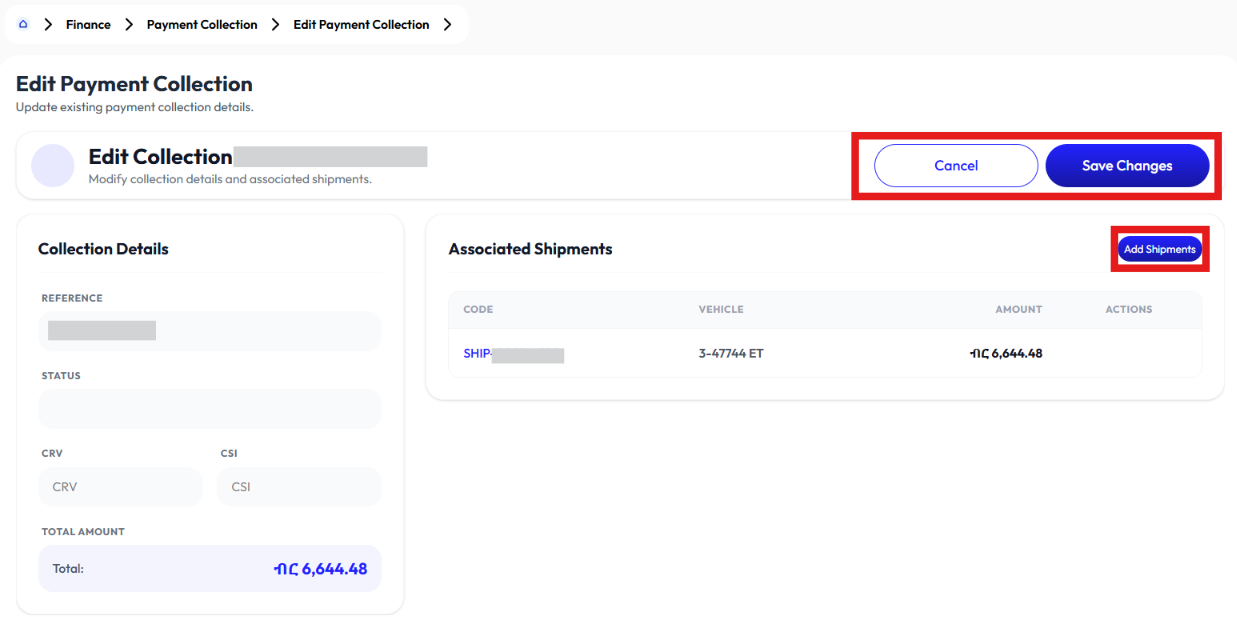
Edit Payment Collection
- Click action button
- Click edit
- Select status
- Update CRV
- Click add shipments to add more
- Click save changes
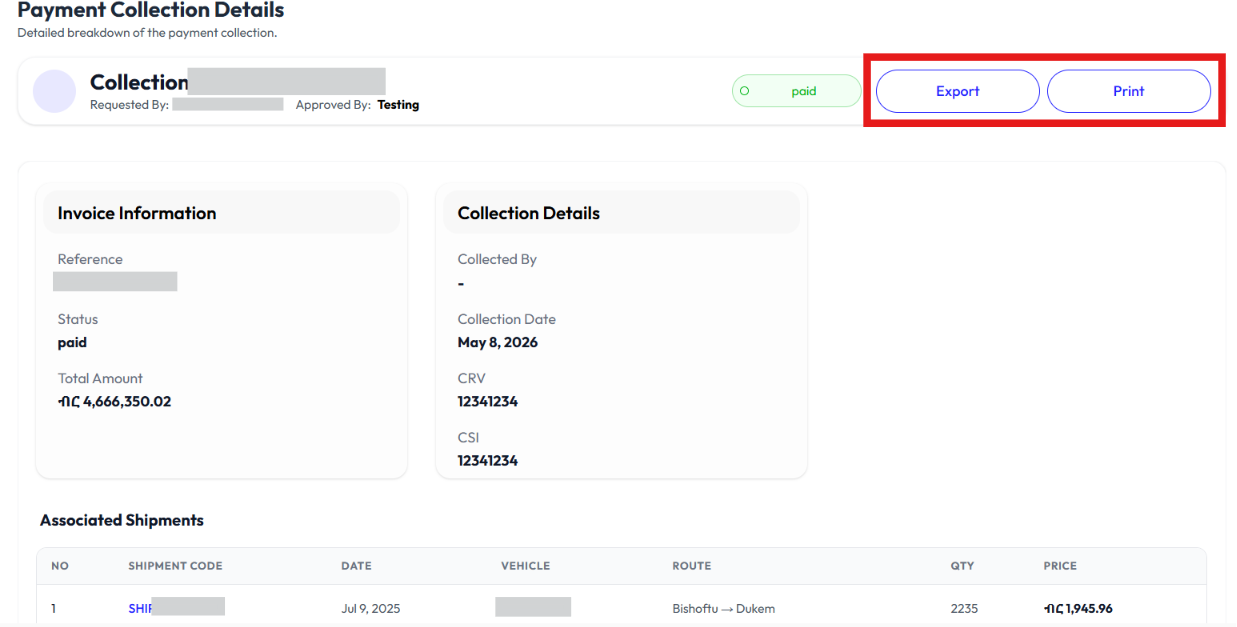
Detail Payment Collection
- Click action button
- Click detail
- Click export to download
- Click print to print
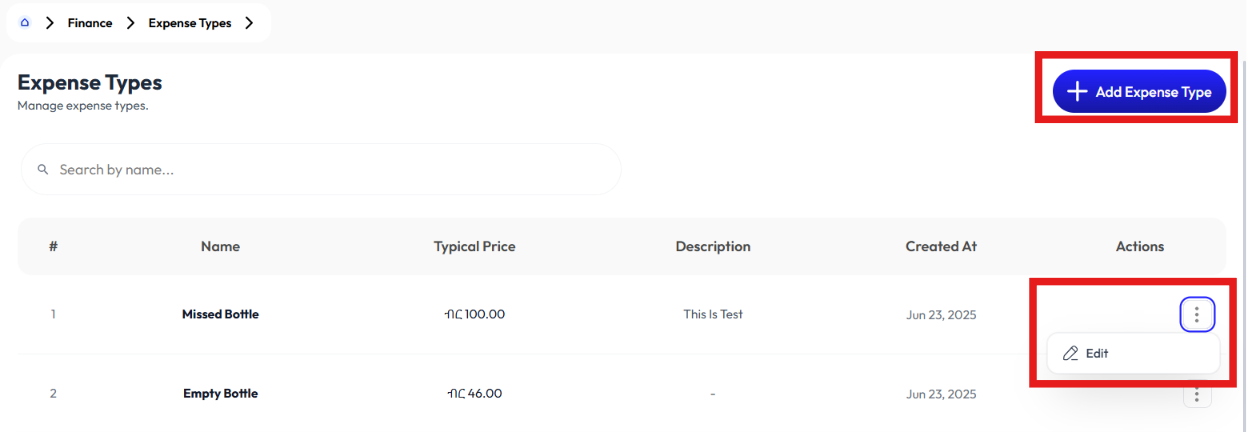
Expense Types
- User creates expense type using the Add Expense Type button.
- User modifies expense type using the Edit button.
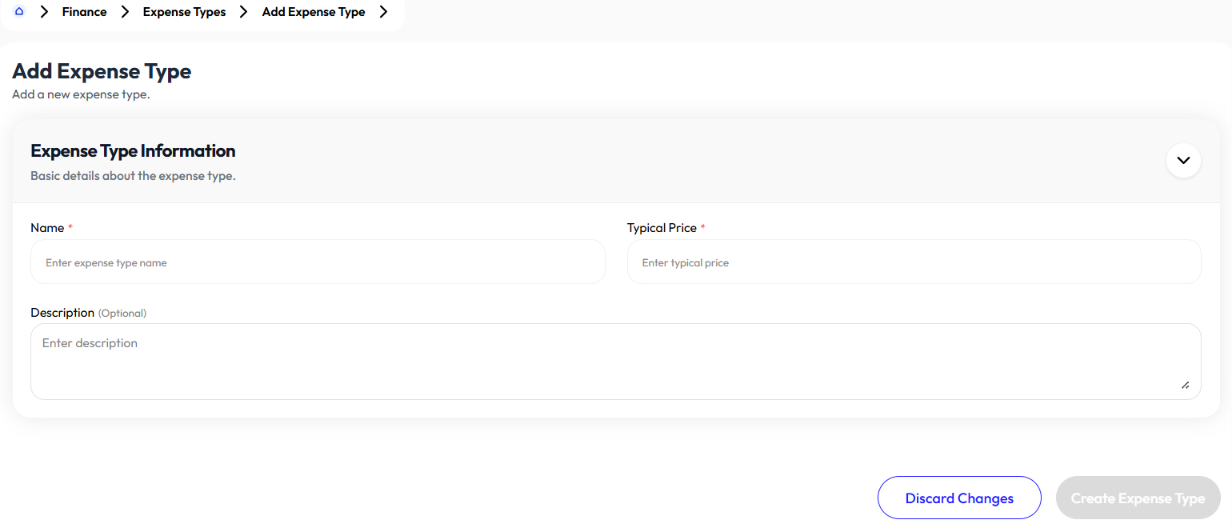
Add Expense Type
- Click add expense type button
- Enter name
- Enter typical price
- Enter description (optional)
- Click create expense type
Edit Expense Type
- Click action button
- Click edit
- Update name
- Update typical price
- Update description (optional)
- Click create expense type
Expense
Paid Subcontracts
- User sees information using Detail.
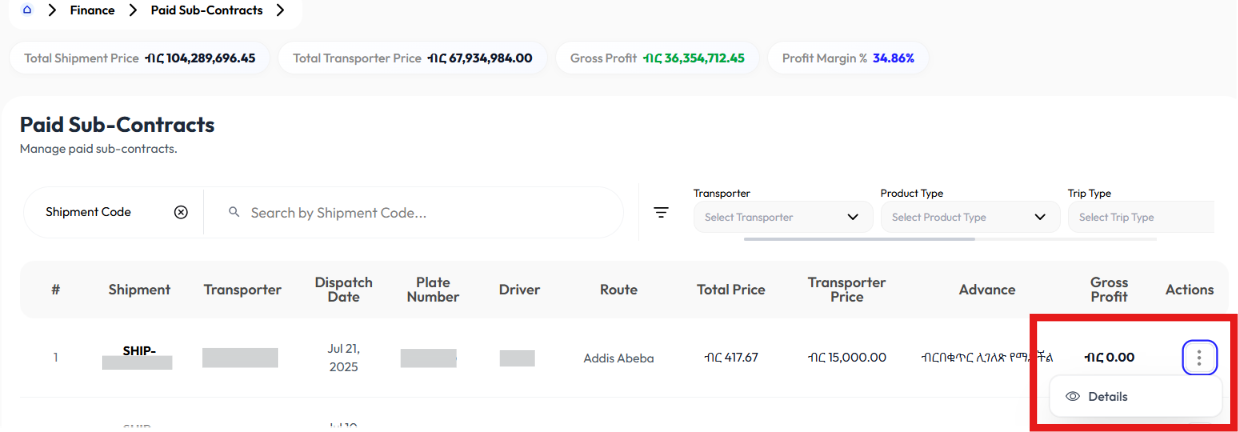
Detail Paid Subcontracts
- Click action button
- Click detail
- It will take you to Detail Shipment.
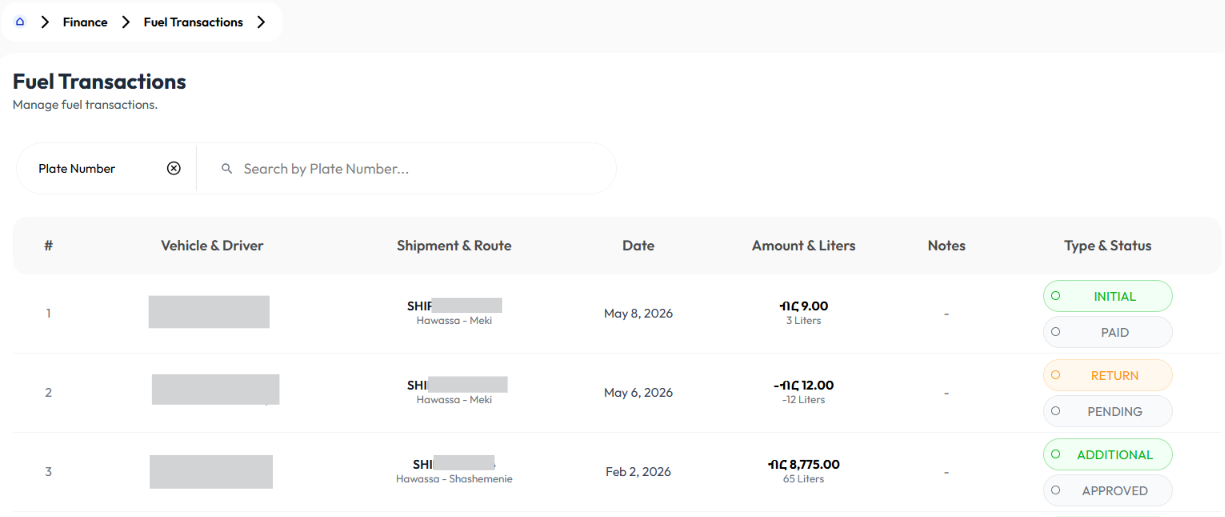
Fuel Transactions
Driver Bonuses
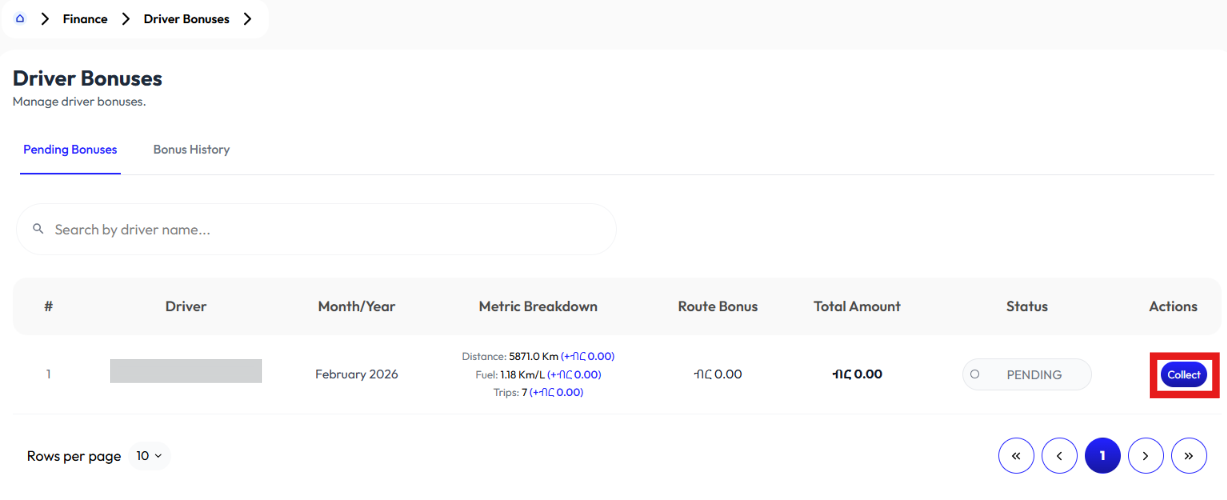
- User clicks collect to mark them collected.
- Click bonus history tab to display history