Skip to content
Chinet TMS Doc
Search
K
Appearance
Menu
Return to top
On this page
Invoice
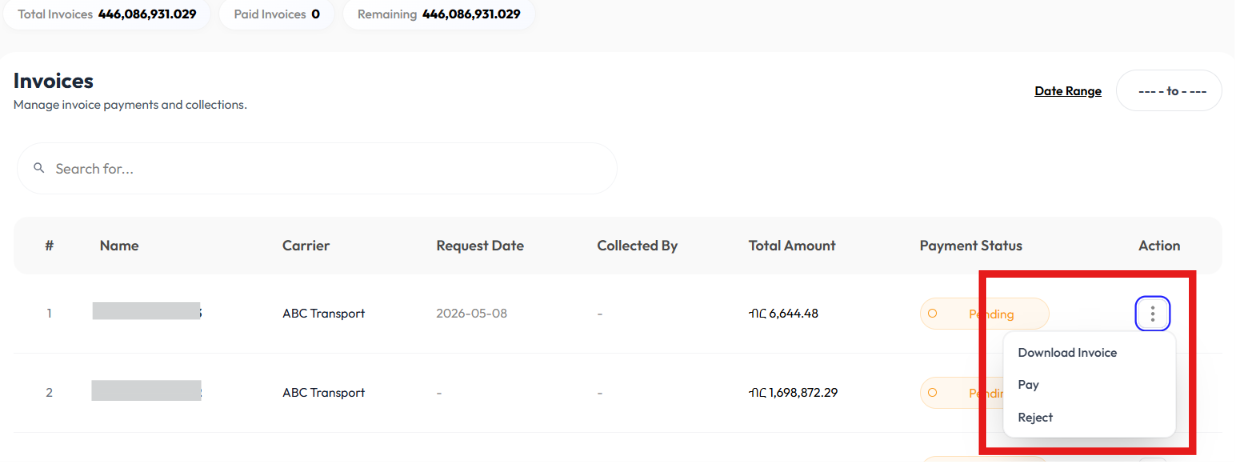
User downloads information using the
Download
button.
User pays or rejects invoices using the
Pay
and
Reject
buttons.
Download Invoice
Click on action button
Click download
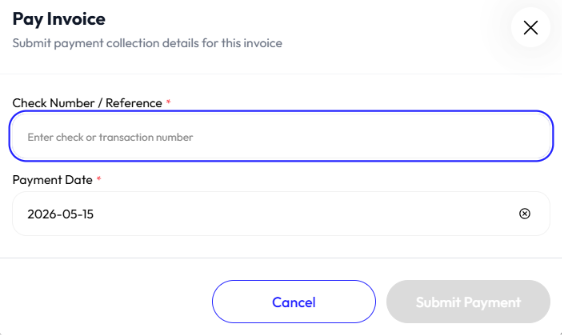
Pay Invoice
Click pay
Enter cheque number
Enter payment date
Click yes
Reject Invoice
Click reject
Click yes