
Appearance
Tyre
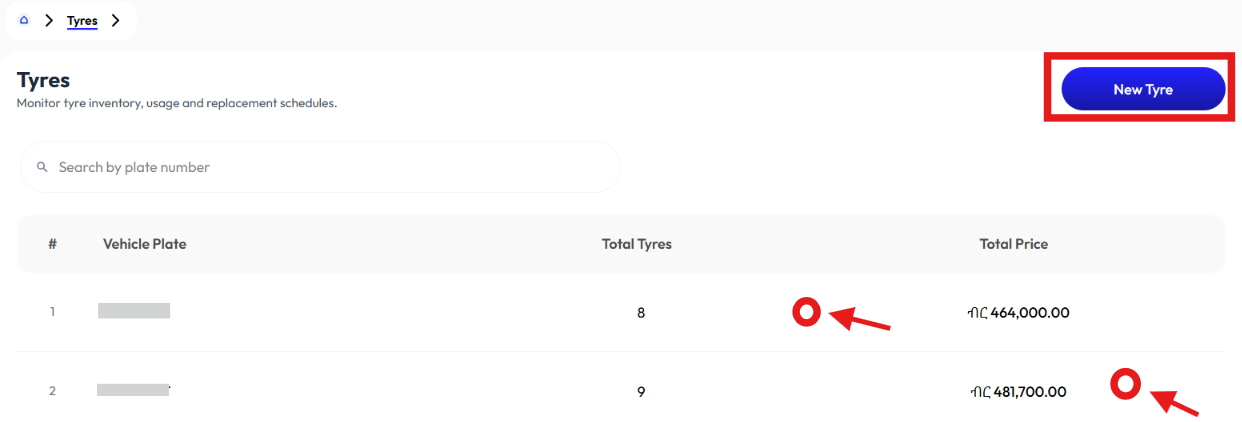
- User can create a tyre using the New Tyre button.
- User clicks on a tyre to see Detail.
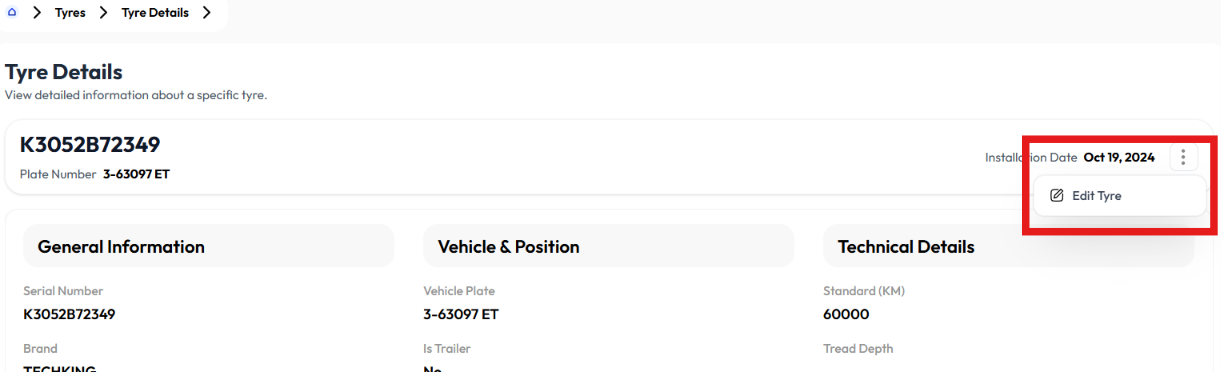
- User modifies a tyre using the Edit button.
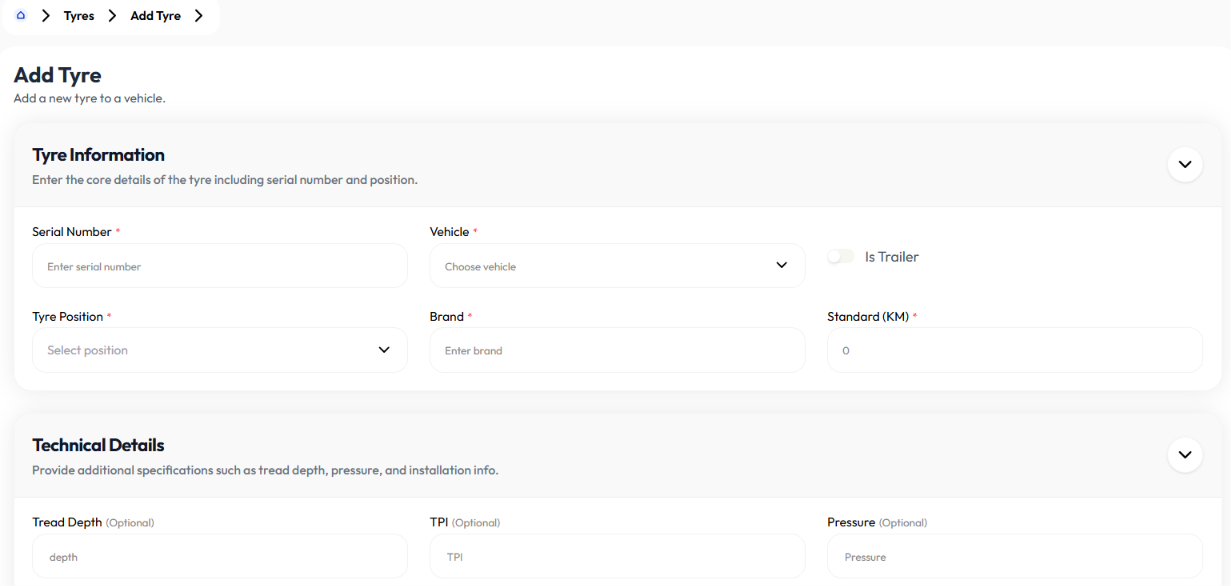
Add Tyre
- Click new tyre button
- Enter serial number
- Select vehicle
- Toggle is trailer on or off
- Select tyre position
- Enter brand
- Enter standard in km
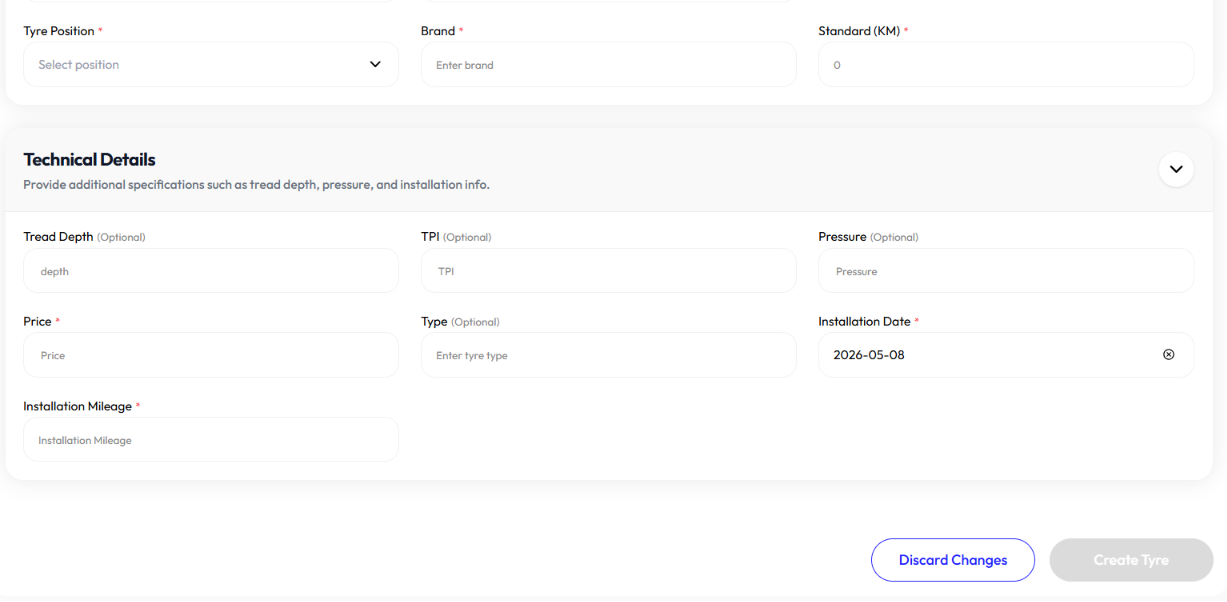
- Enter tread depth (optional)
- Enter TPI (optional)
- Enter pressure (optional)
- Enter price
- Enter type (optional)
- Enter installation date
- Enter installation mileage
- Click create tyre
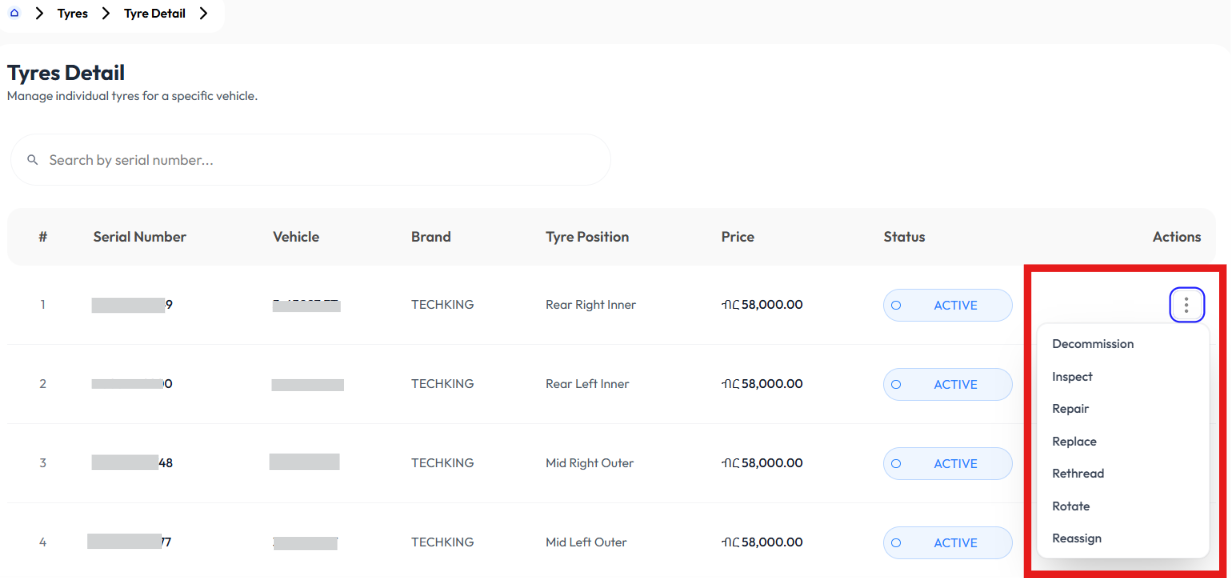
Detail
- Click on a tyre to display detail of a group of tyres
- Click on a tyre again to display detail information of a specific tyre
- Click edit button to modify
Edit
- Click new tyre button
- Update serial number
- Select vehicle
- Toggle is trailer on or off
- Select tyre position
- Update brand
- Update standard in km
- Update tread depth (optional)
- Update TPI (optional)
- Update pressure (optional)
- Update price
- Update type (optional)
- Update installation date
- Update installation mileage
- Click create tyre